 2R TOOLS
2R Tools hardware
I2C Scanner
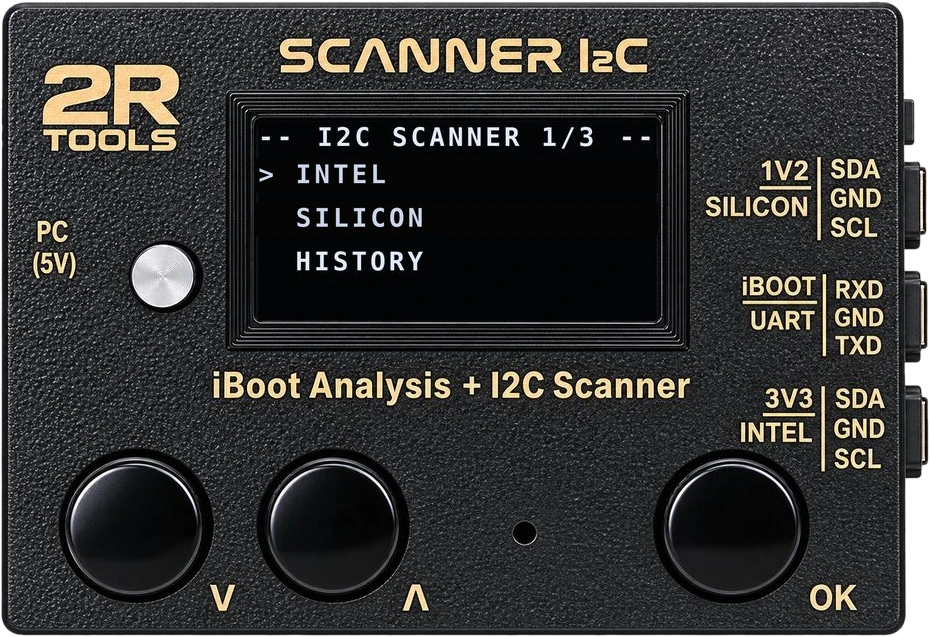
The box with an OLED display and physical buttons that diagnoses the MacBook's CD321X USB-C controllers, freely scans the SMBus and monitors the iBoot serial output in real time while the Mac boots. It works on its own at the bench and connected to the 2R Tools app.
Box menus in Portuguese, English and Spanish.
Functions
What the box does at the bench
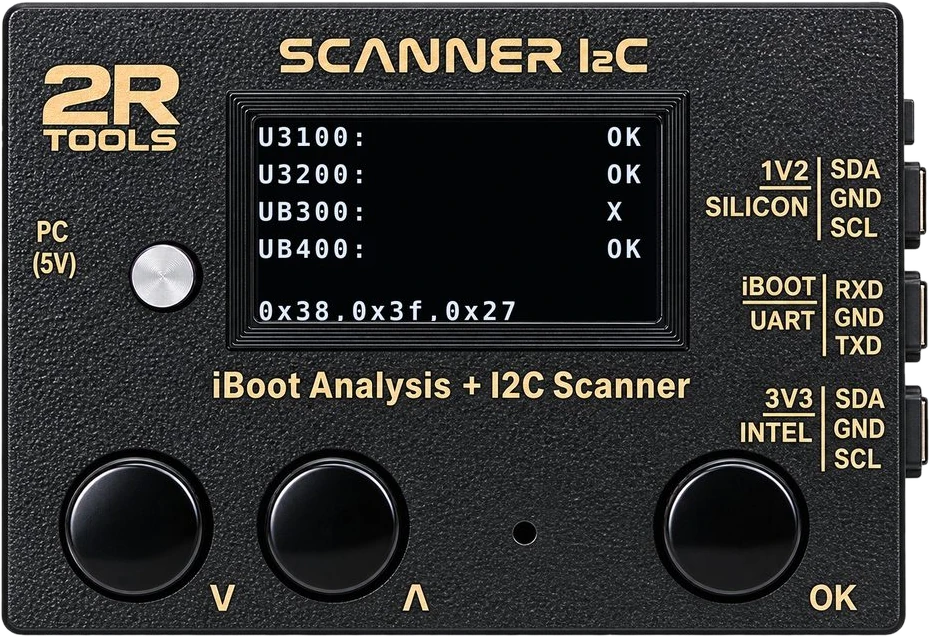
I2C Scanner — CD321X
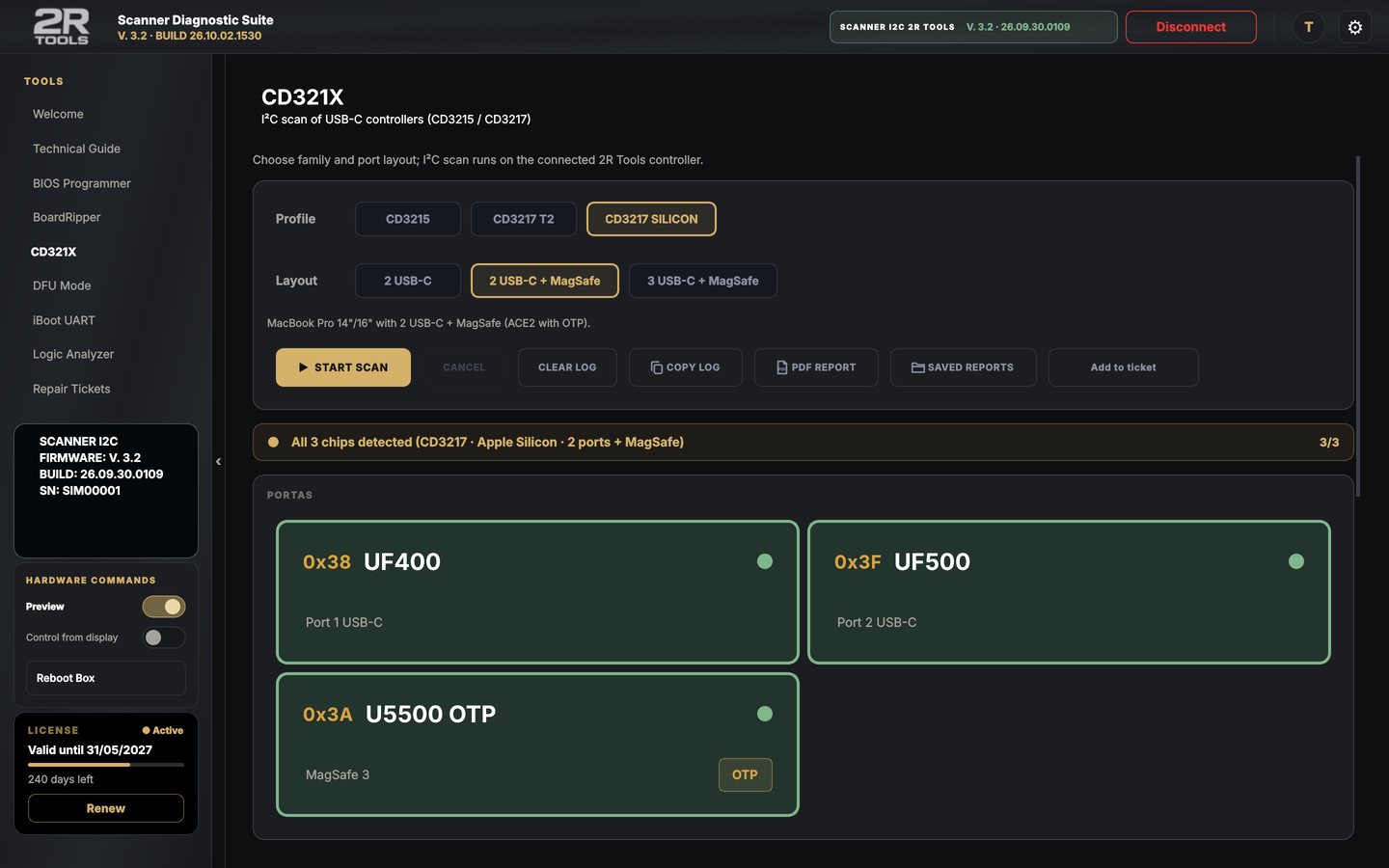
Guided diagnosis: pick the family (Intel or Silicon), the chip (CD3215 or CD3217) and the ports, and the box shows which components answered — OK or X — with the addresses found and a success or alert beep.
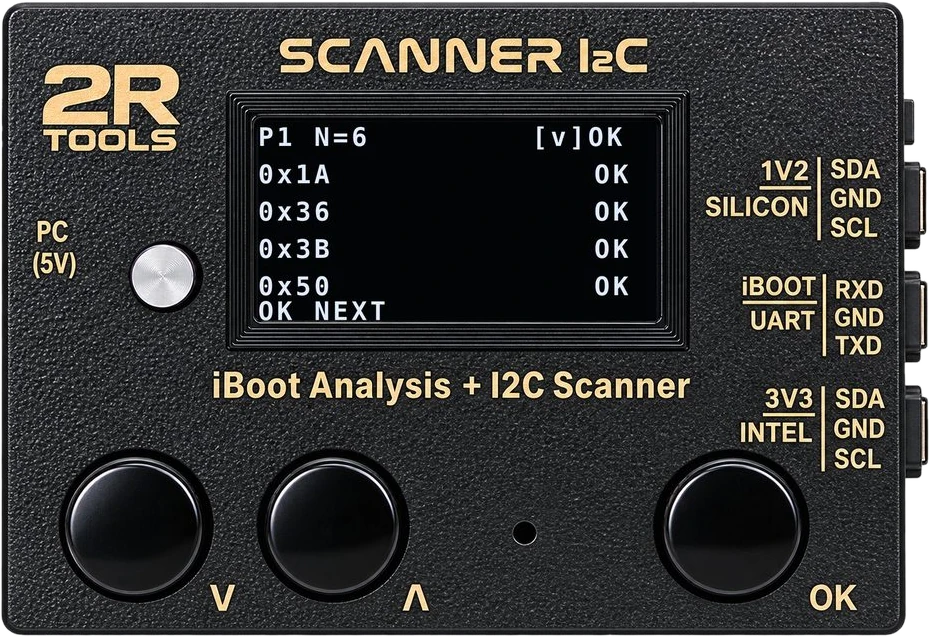
I2C Scanner — SMBus
A free scan of the whole bus, no preset table: it lists every address that answered and warns when the reading is unstable (bad contact or an intermittent bus).
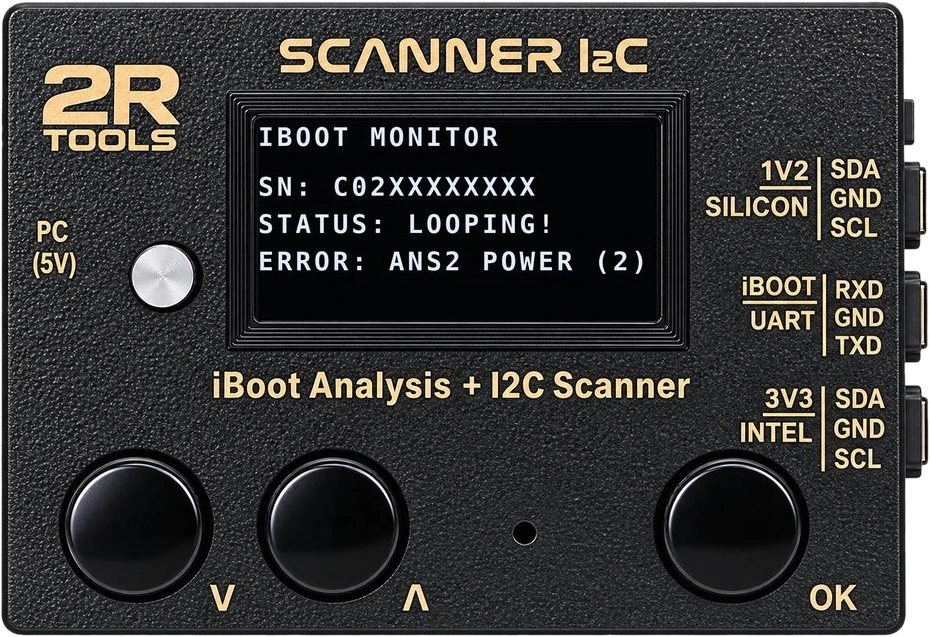
iBoot UART
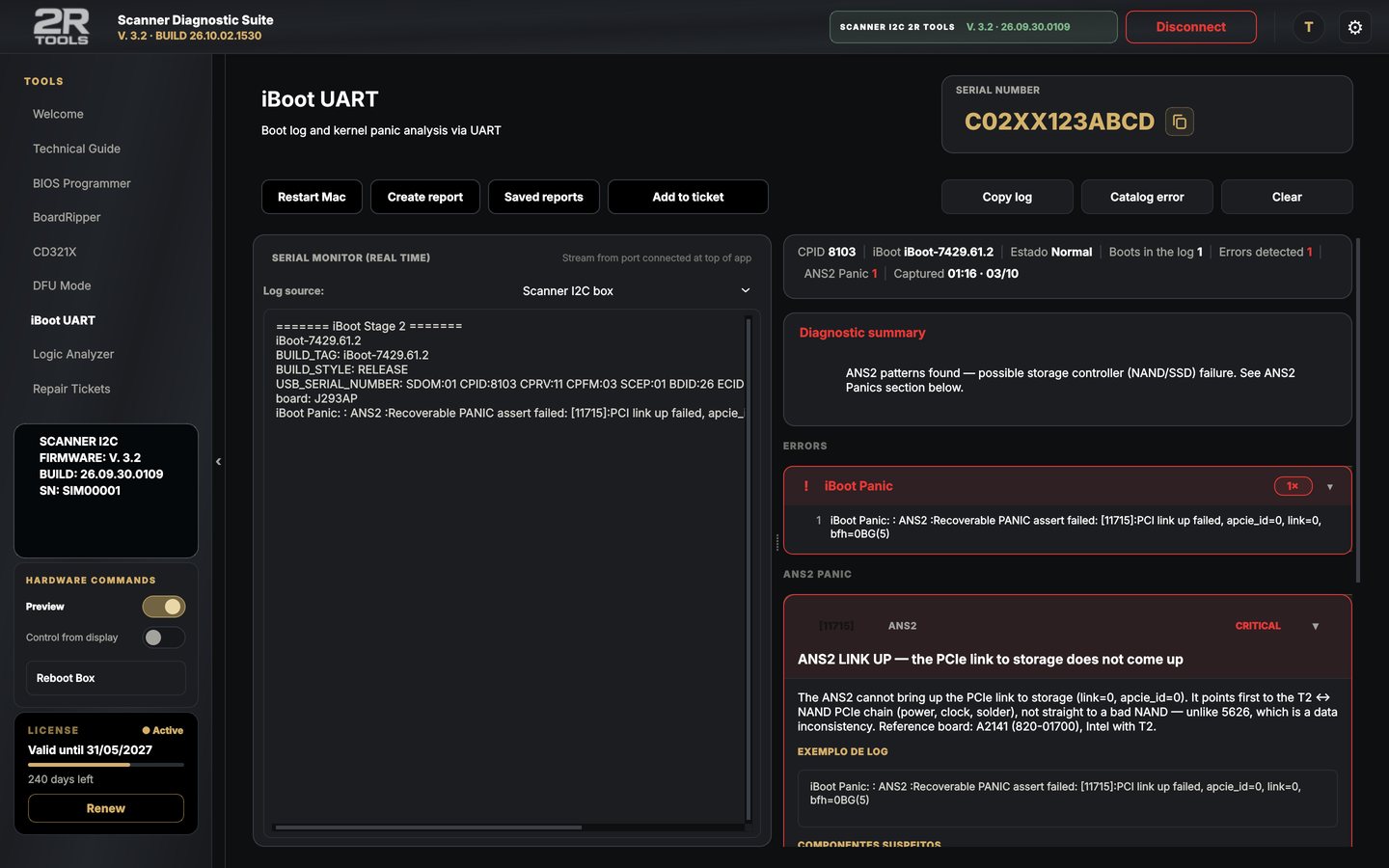
Follows the Mac's boot in real time, shows the recognized error and builds the reading report. History keeps the latest readings.
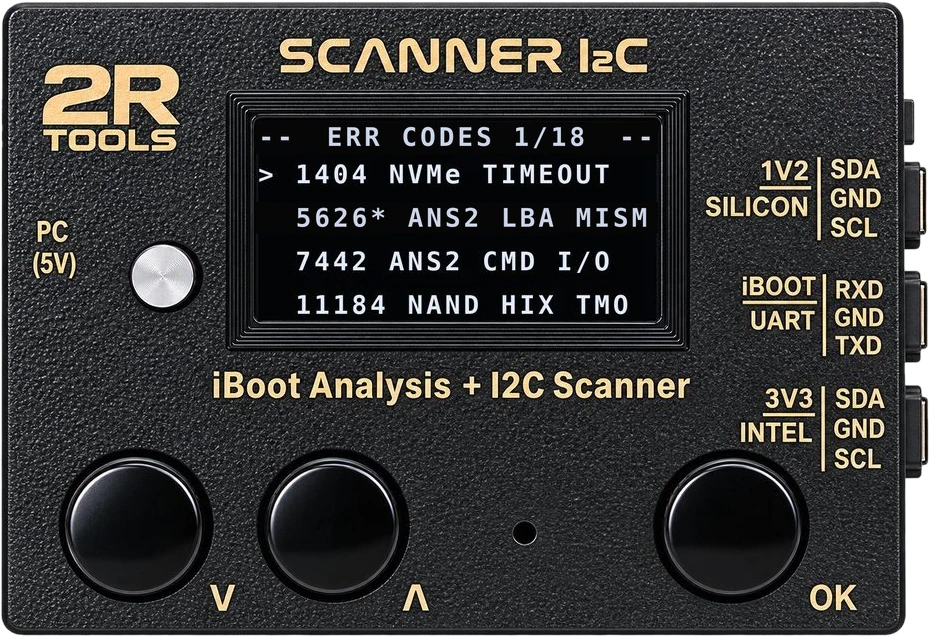
Error codes
The iBoot error codes the box recognizes, each with its repair tip, right on the display.
Swapped clips?
If nothing answers with SDA and SCL in the normal position, the box retries with the lines swapped and shows SDA<>SCL SWAPPED.
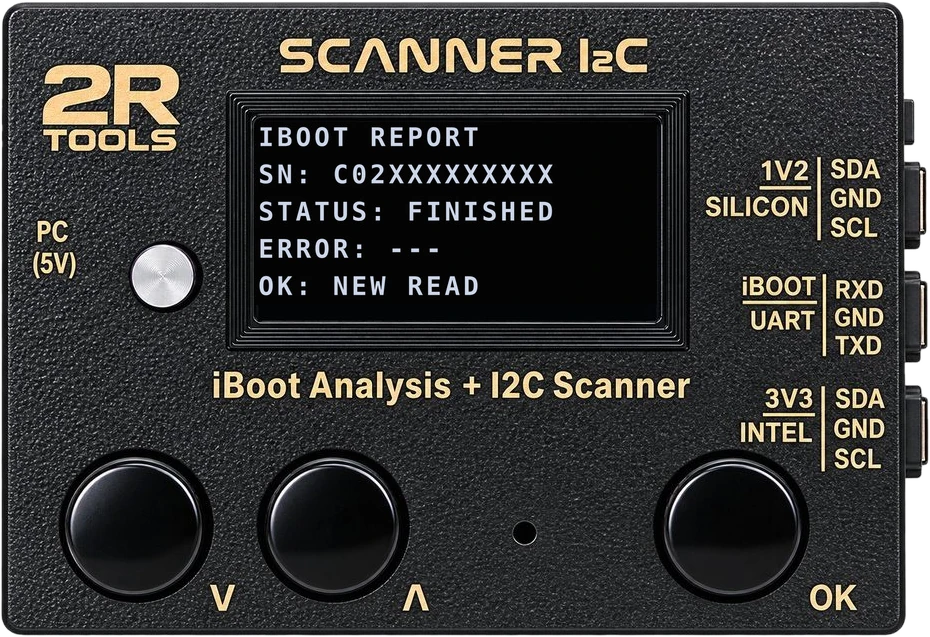
iBoot report
At the end of the reading the box shows the serial number, the status and the error found — and the app saves it all to the ticket.
Connectors
Three probes, the right voltage for each board
The connector is chosen by the board's bus voltage, not by the Mac family: there are Intel boards at 3V3 and Intel boards at 1V8. The voltage table per model is in the manual and in the app's Technical Guide.
| Connector | Use | Pins |
|---|---|---|
| PC (5V) | USB cable to the PC or Mac: powers the box and talks to the app. | USB |
| 1V2 — SILICON | CD321X on 1V2, 1V25 or 1V8 buses: every Apple Silicon and the Intel boards at 1V8 (A1534 and every T2 board). | SDA · GND · SCL |
| iBOOT UART | Captures the iBoot serial output: the Mac's TXD goes to the box's RXD. | RXD · GND · TXD |
| 3V3 — INTEL | CD321X on 3V3 buses — among the documented boards, the A1706/A1707 and the A1708. | SDA · GND · SCL |
Compatibility
Which MacBooks
The CD321X I2C reading covers MacBooks from 2016 to 2022: Intel models with the T1 or T2 chip and Apple Silicon up to the M2. From the M3 onward Apple changed the port controller layout, so the reading doesn't find those chips — it is not a fault in the box or the board. iBoot UART and SMBus are still useful on the other models.
Two board versions. The box comes with a Raspberry Pi Pico (RP2040) or Pico 2 (RP2350). The firmware is the same, built for each board, and the app picks the right file by itself.
With the app
Even more on the computer
Display mirror
What shows on the OLED shows in the app, and you control the box from the computer.
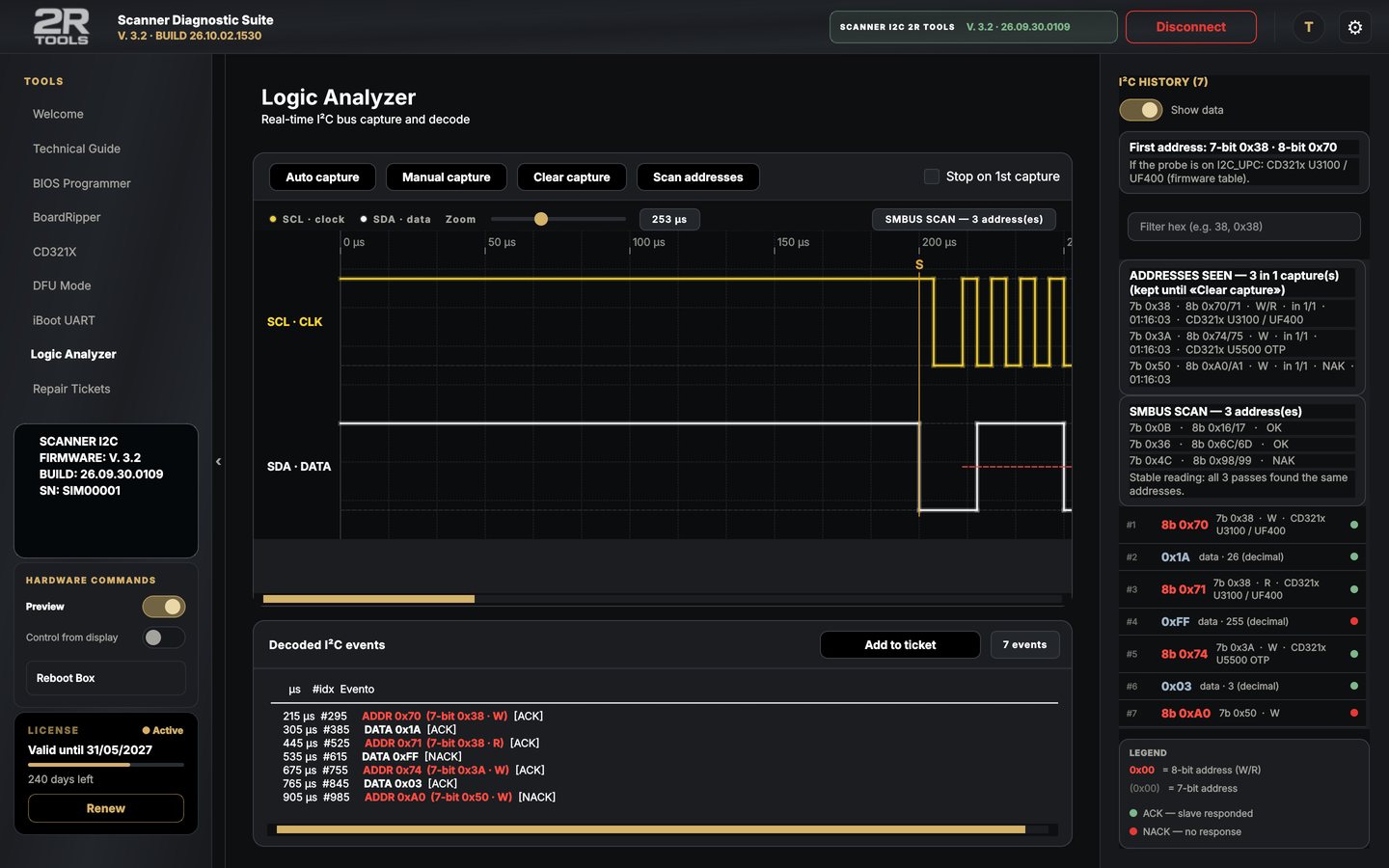
I²C Logic Analyzer
The SCL and SDA waveform on screen, with 7- and 8-bit addresses and an unstable-reading warning.
CD321X port by port
Green answered, red didn't, with the OTP label and a PDF report.
Firmware from the app
The app tells you when there is new firmware and installs it by itself, no BOOTSEL needed.
Talk to us
Buy on WhatsApp
Questions about installing, your license or a repair: message us on WhatsApp with the board model and what you have measured.
+55 19 98112-0388
@2rtoolsOpen
Av. Monsenhor Jerônimo Baggio, 479 – Taquaral
Campinas - SP · CEP 13075-350View on map