About 2R Tools

Made at the bench, for the bench.

2R Tools builds tools for people who repair MacBook logic boards: a piece of hardware, the I2C Scanner, and a piece of software, the Scanner Diagnostic Suite, created by technicians from real everyday cases — read the bus, understand the boot, program the BIOS and hand the customer a report with real photos of the repair.

The same app runs on Apple Silicon Macs, Intel Macs and Windows, in Portuguese, English and Spanish. Each shop's data stays with the shop.
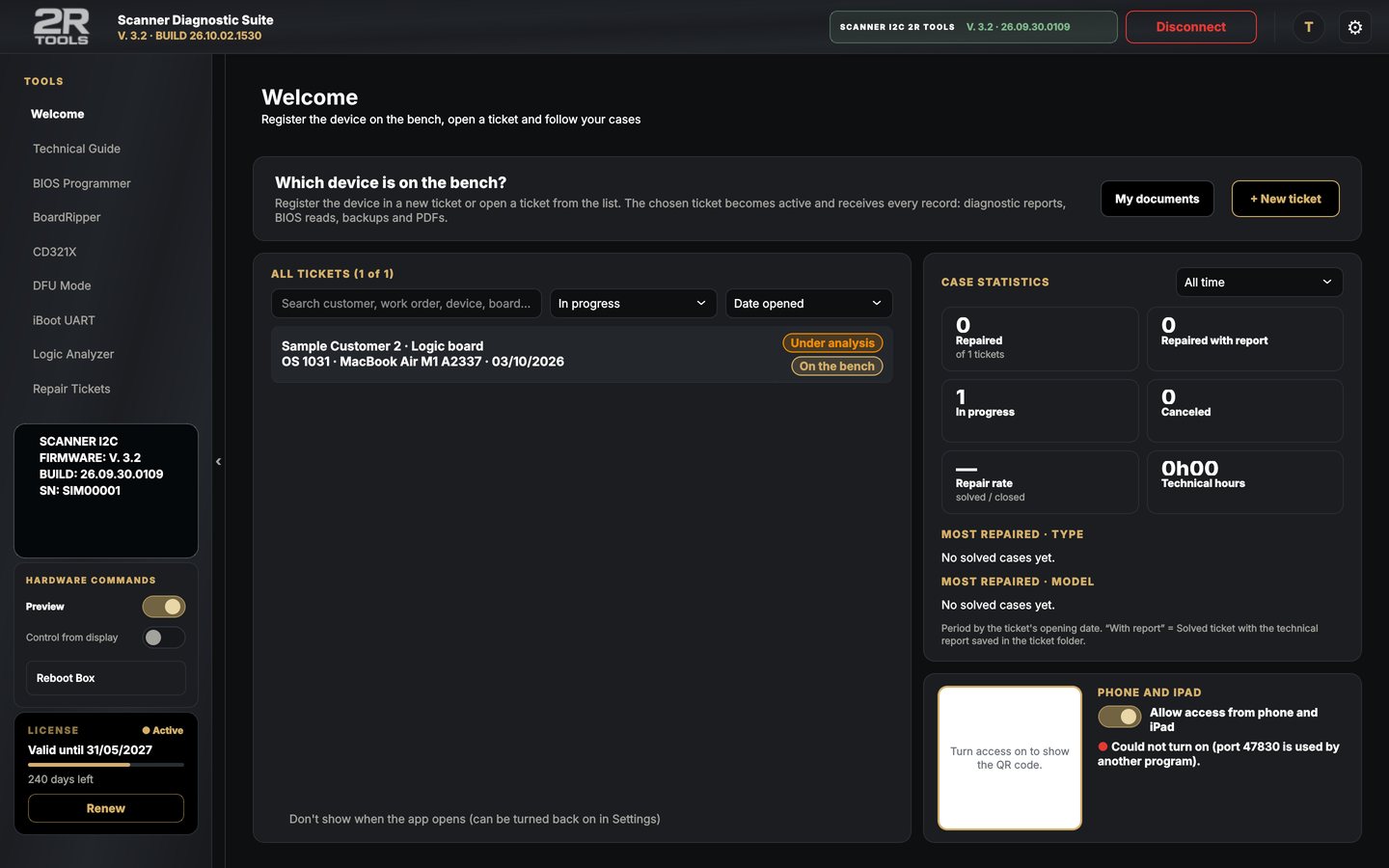
Scanner Diagnostic Suite
V. 3.2App and firmware on the same version
3 systemsApple Silicon Mac, Intel Mac (macOS 10.13+) and Windows 10/11
3 languagesPortuguese, English and Spanish
Phone and iPadThe ticket on your phone via QR code, nothing to install

Products

Hardware and software

The box reads the board; the app shows, explains and records. Without the box, the app is already a BIOS programmer, DFU Mode, BoardRipper and Technical Guide.

Hardware

2R Tools I2C Scanner

The box that reads the board's I²C / SMBus and talks to the app over USB.

  • OLED display mirrored in the app
  • I²C Logic Analyzer and CD321X
  • Automatic USB connection
  • Firmware updated by the app itself

Price on request

Learn more
Software · free

Free version

The same app without a license: it opens as the free version and unlocks 10 days of everything with one click.

  • Technical Guide and manuals on screen
  • DFU Mode over the cable (Apple Silicon)
  • Repair tickets and PDF report

Free

Download

Diagnosis

Read the board

What the bus and the boot are telling you, no guessing.

I²C Logic Analyzer

The SCL and SDA waveform drawn on screen, with the addresses that answered.
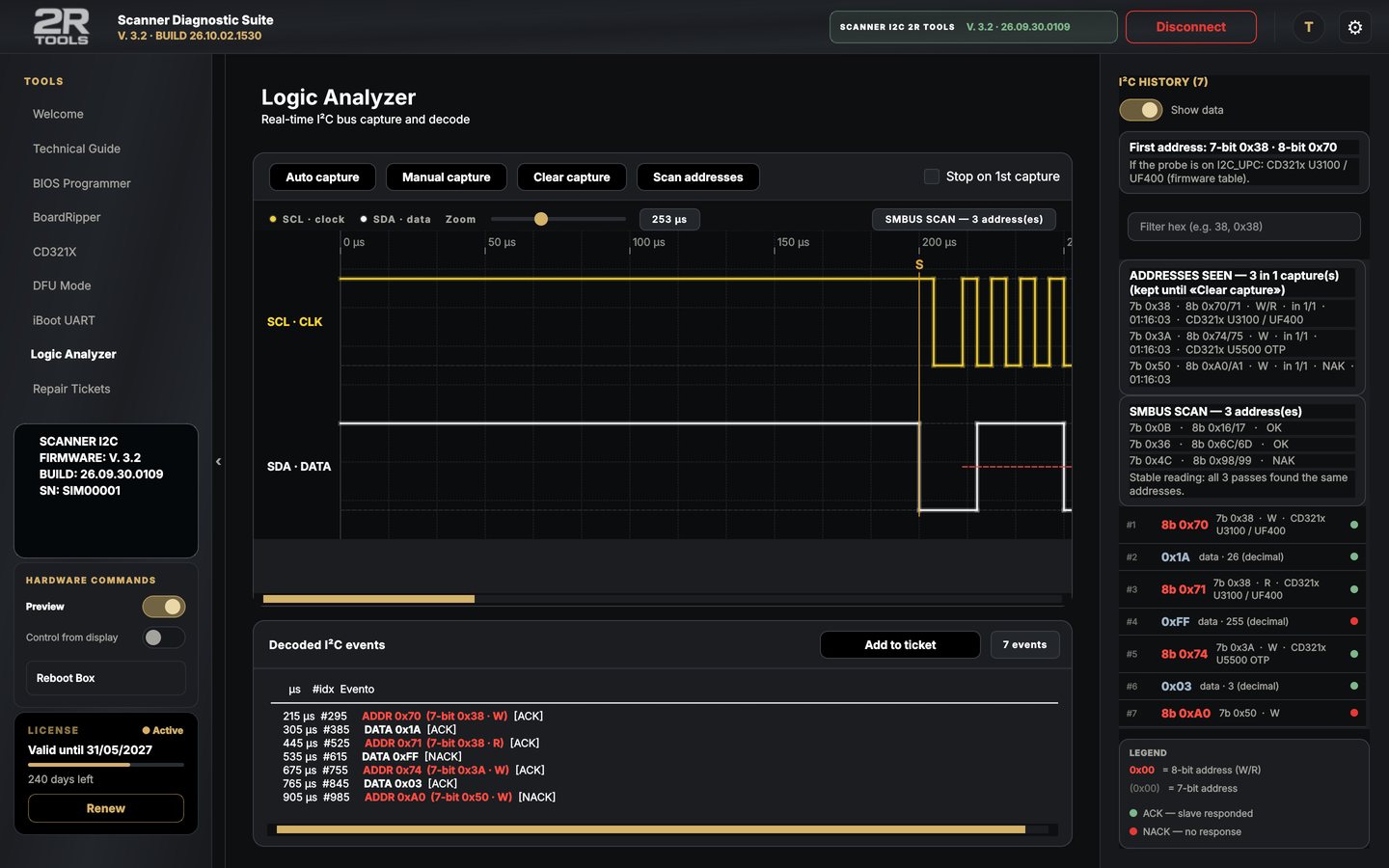
  • Automatic capture: the box stays armed until I²C traffic shows up
  • 7- and 8-bit addresses, the ones that didn't answer in red
  • Unstable-reading warning (pull-up or contact)
  • Swapped clips? It fixes itself
I²C Logic Analyzer

CD321X port by port

CD3215, CD3217 T2 and CD3217 Silicon: the state of each USB-C controller.
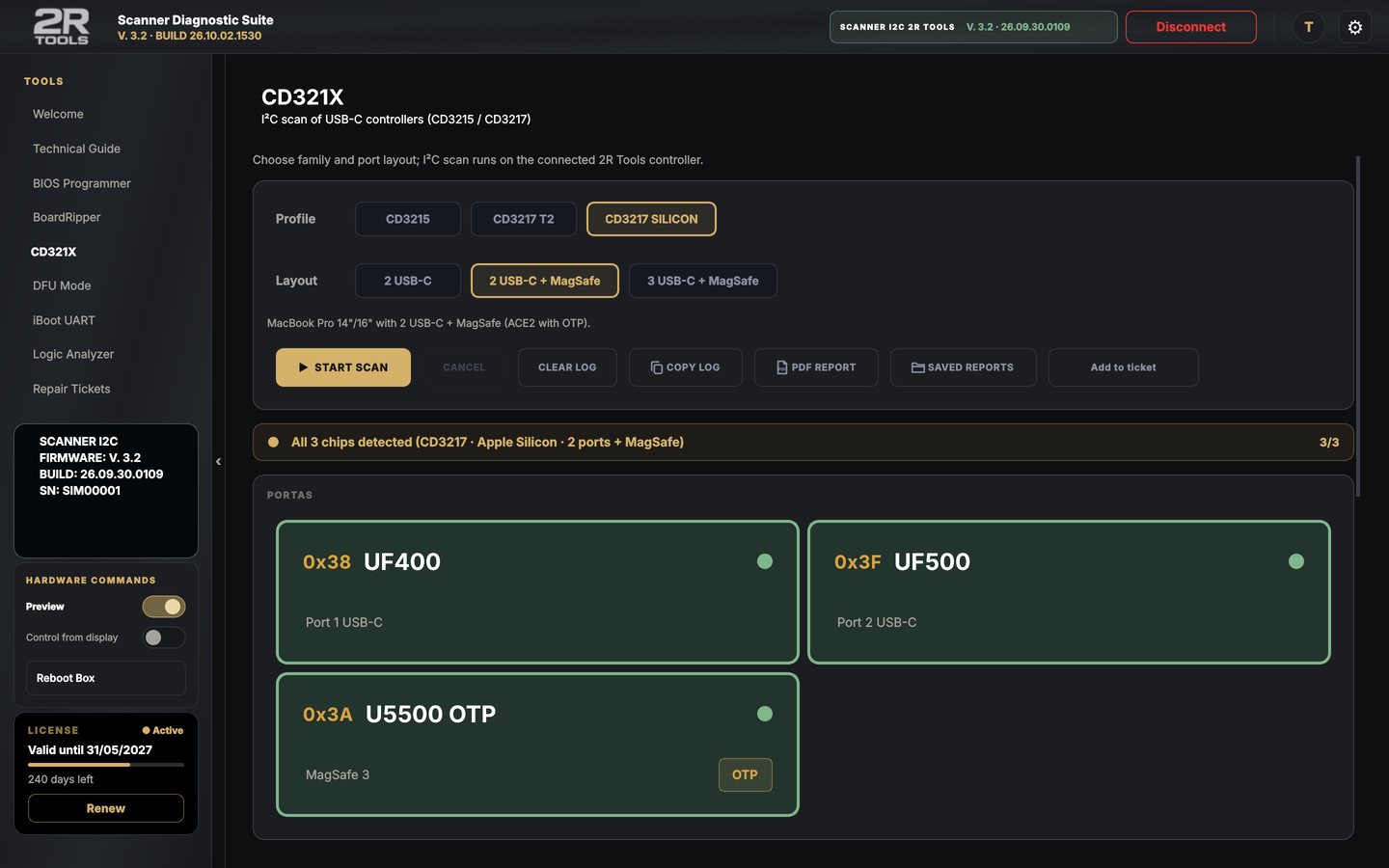
  • Green answered, red didn't answer
  • OTP label at the factory positions
  • Each address with ACK / NAK and a PDF report
CD321X port by port

iBoot UART with the cause

The boot log in real time, with panic and ANS2 explained.
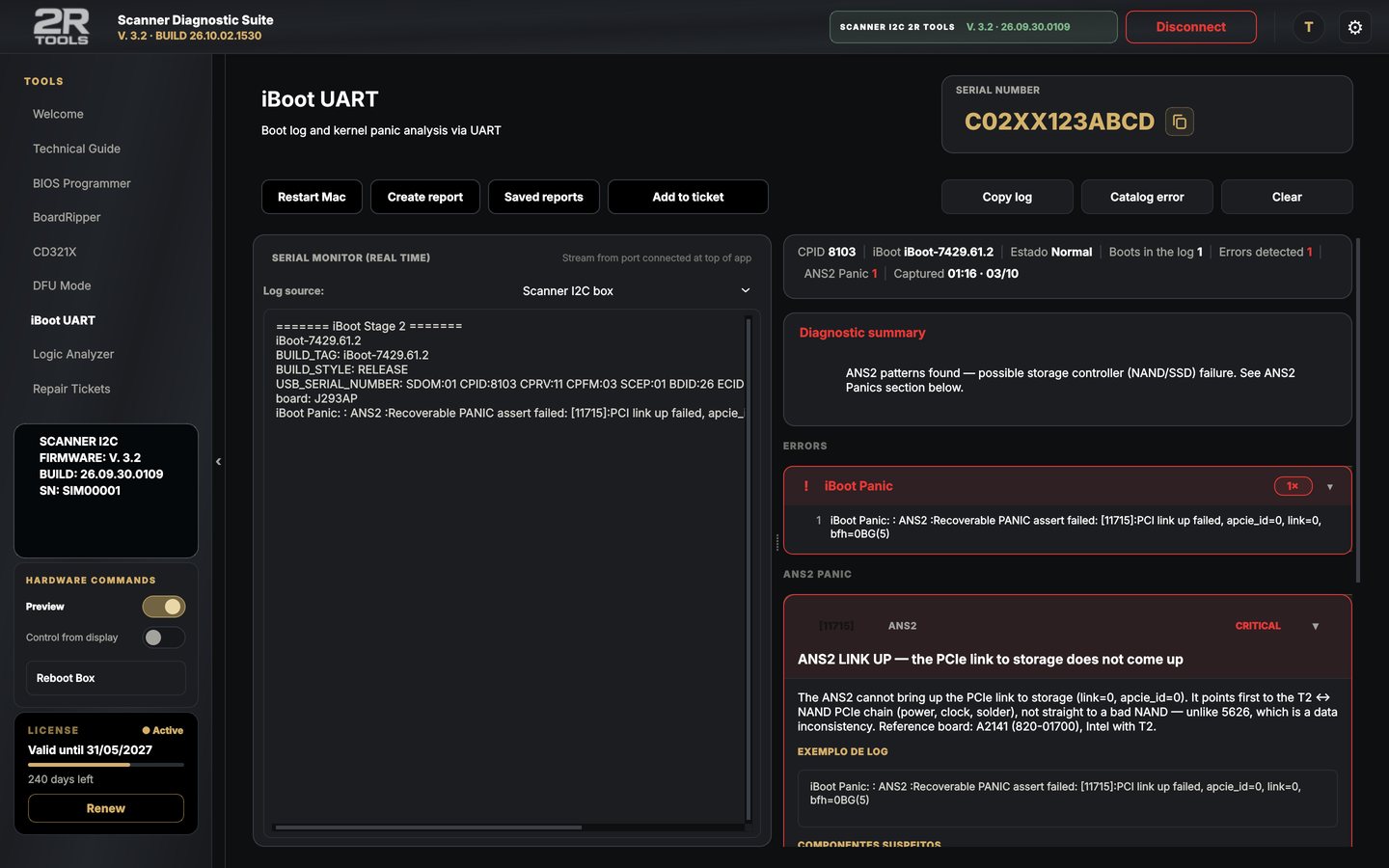
  • Likely cause and suspect components
  • PDF report
  • An error catalog that grows with the cases
iBoot UART with the cause

Tools

Work on the board

BIOS, DFU, boardview and technical reference in the same app.

BIOS programmer

CH341A, Wylie and XGecu TL866II Plus, with a double read checked by SHA-256.
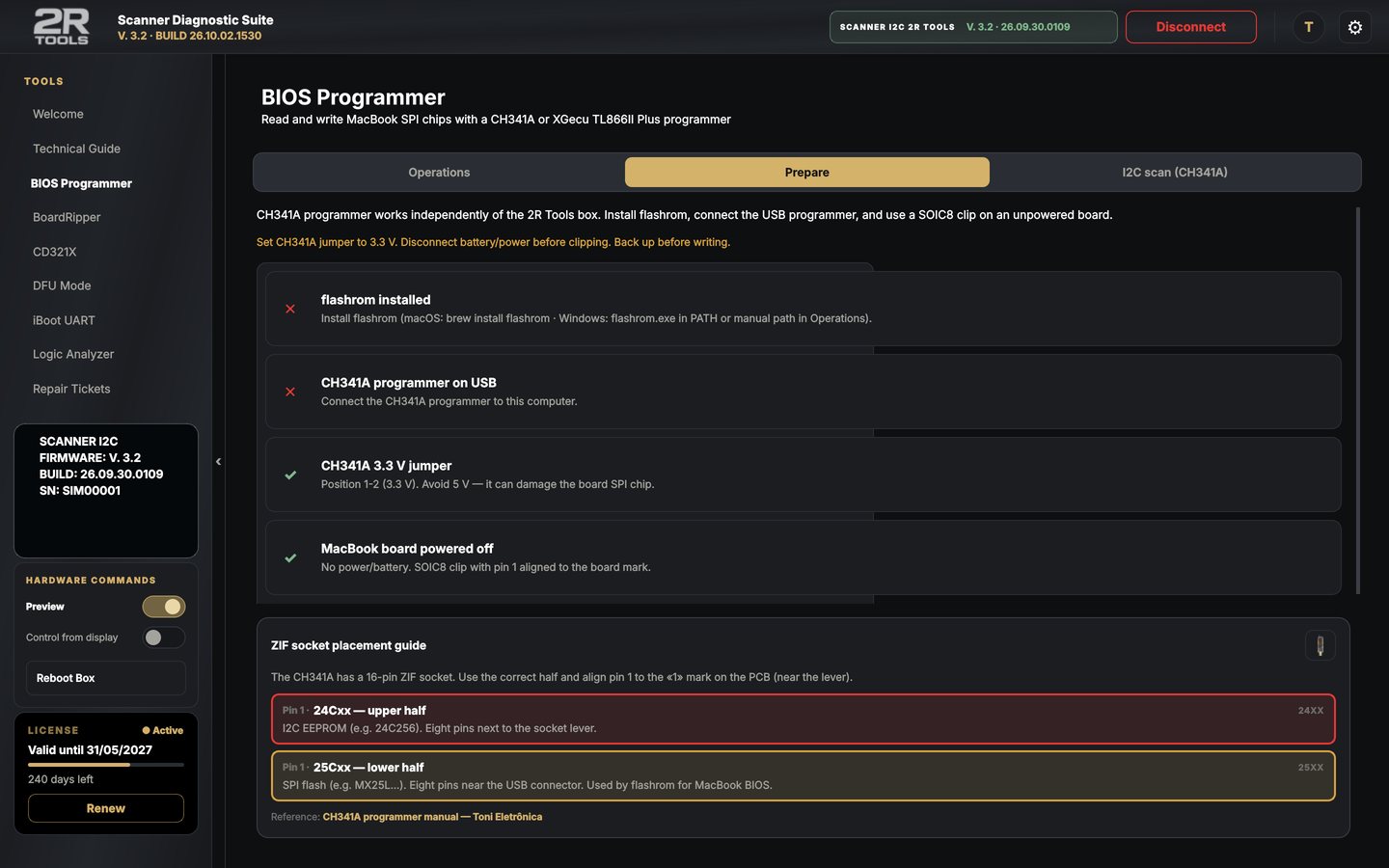
  • Detect, read, back up, write, verify and erase
  • Chip voltage warning
  • BIOS and ROM archive by model and board
  • Backup saved to the customer's ticket
BIOS programmer

DFU Mode

Puts the Mac into and out of DFU over the cable (Apple Silicon Macs).
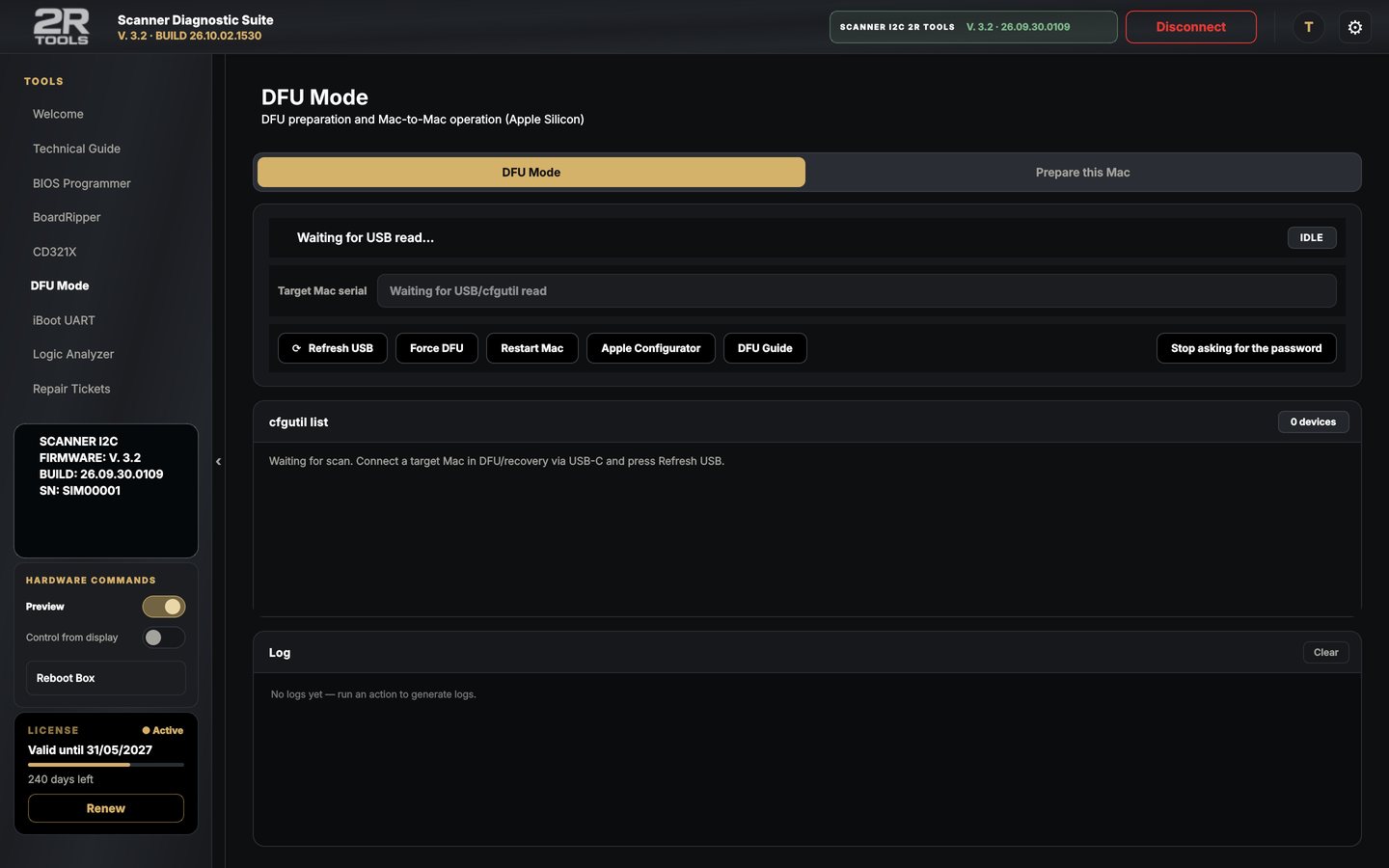
  • Revive and restore with Apple Configurator
  • In and out of DFU: straight to the ticket
DFU Mode

BoardRipper

Boardview and schematic side by side, inside the app.
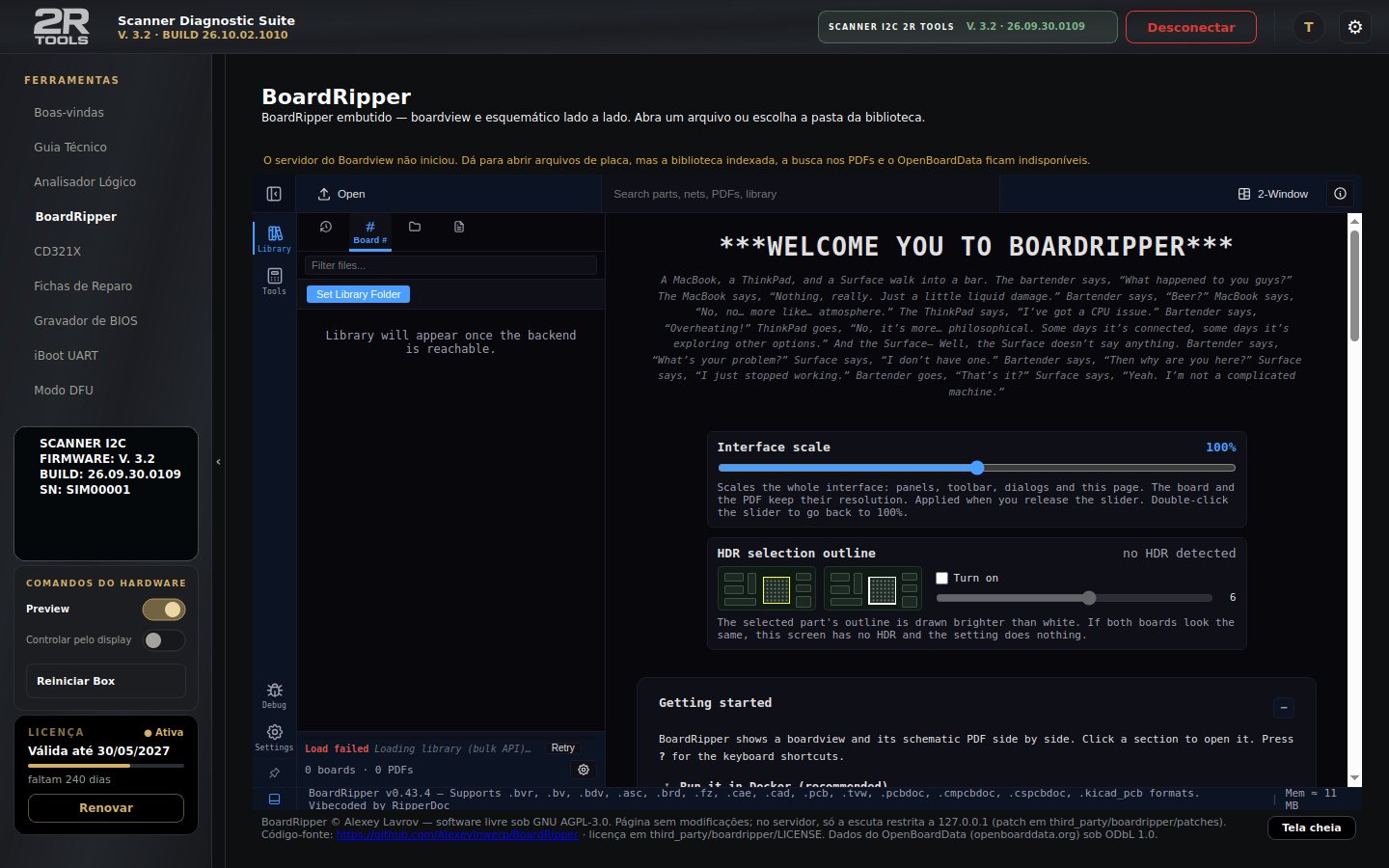
  • .bvr, .brd, .fz, .cad, .pcb and PDF
BoardRipper

Technical Guide

Repair cases, a panic dictionary and ready-made tables.
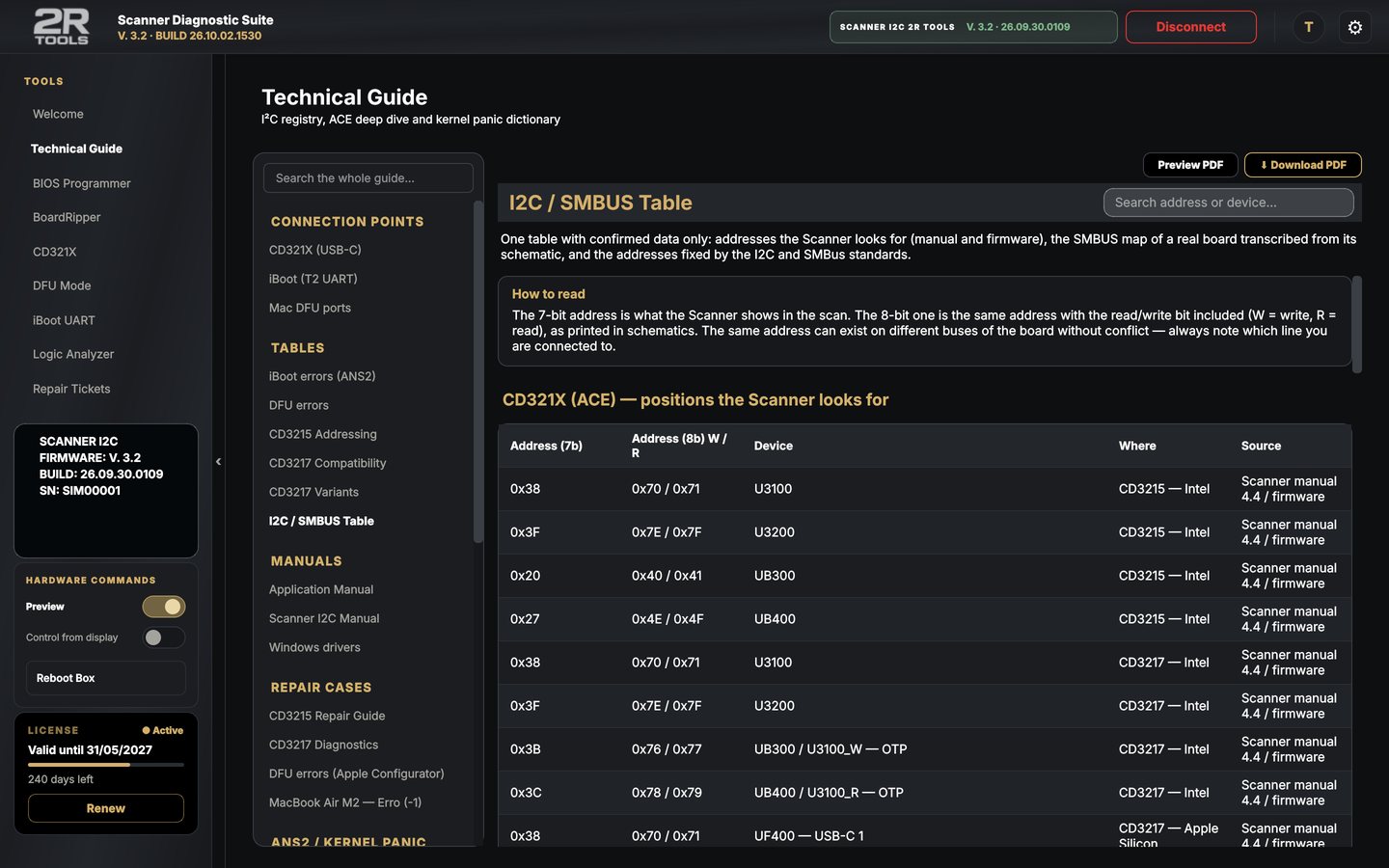
  • I²C / CD321X connection points
  • DFU ports for each Mac
  • Manuals in the app's language
Technical Guide

Repair management

From counter to report

Every step recorded, with photo, video and integrity proof.

Follow each repair, step by step

The ticket follows the analysis order: counter, intake, visual, software, bench and report.
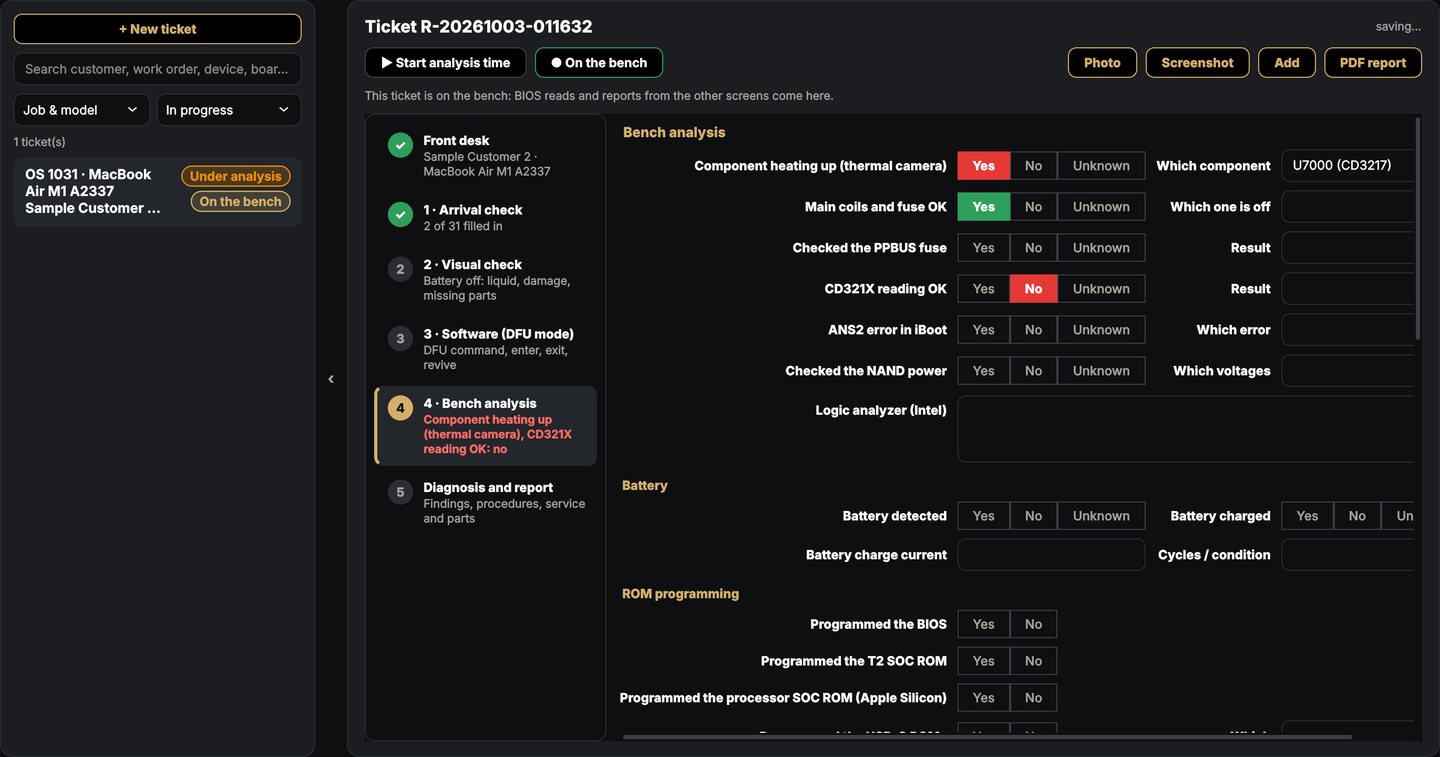
  • Red alerts at each step
  • Analysis time, technical hours and full history
  • BIOS reads and Analyzer, CD321X and iBoot results go in by themselves
Follow each repair, step by step

Your iPhone becomes the bench camera

On the Mac, the iPhone shows up by itself in the camera list: record the repair from any angle, up to 4K.
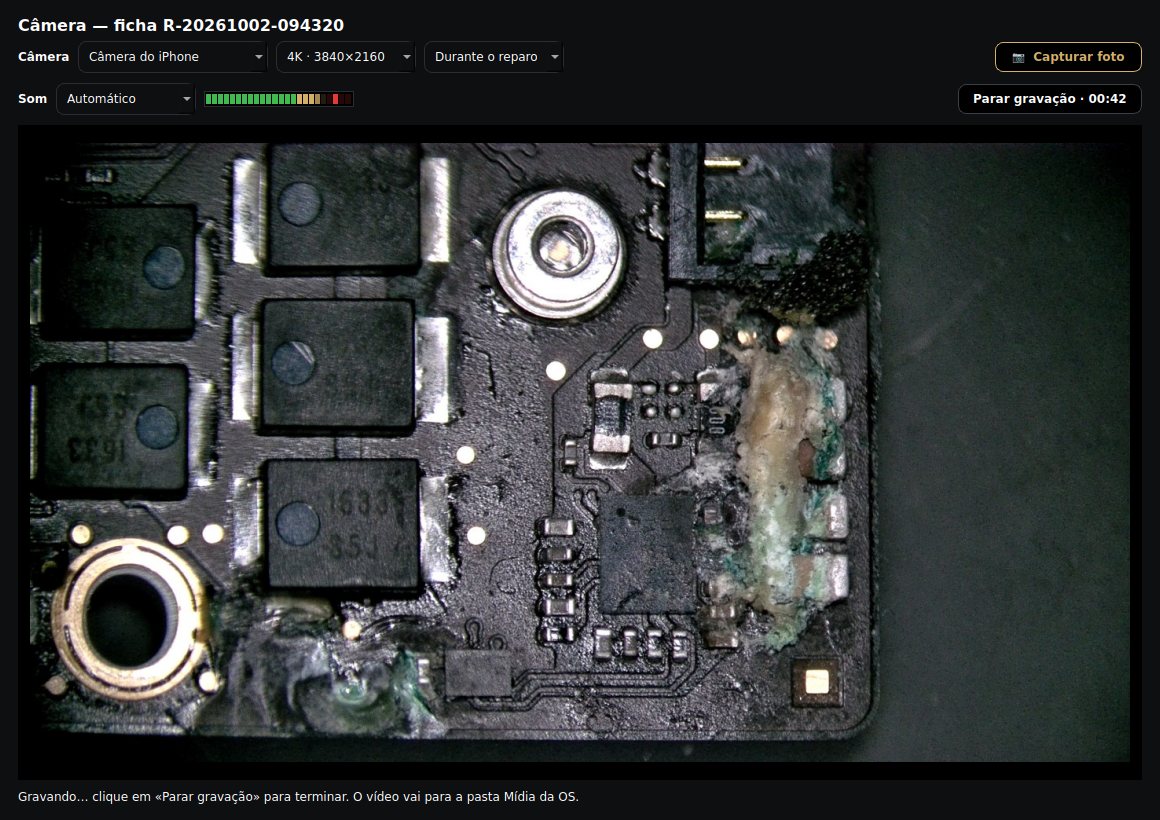
  • Video with sound and an audio level (VU) meter on screen
  • On Windows: phone as camera via DroidCam, Iriun or Camo
  • USB microscope and webcam too
Your iPhone becomes the bench camera

Photos and videos of each step

Before, each step and finished — with date, time and SHA-256 on every file.
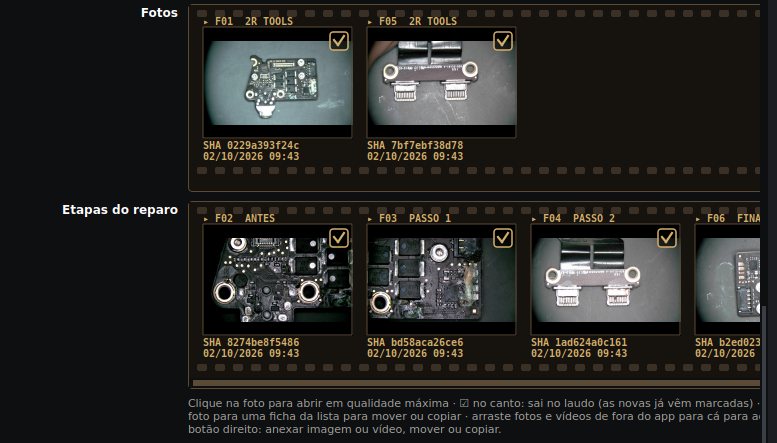
  • Drag to arrange the order and the step
  • A changed file shows in red
  • Ticket folder organized: Report, Ticket, Media, ROM and BIOS
Photos and videos of each step

Report with real photos of the repair

The microscope photos in the report, 3 per row, with evidence, date and time.
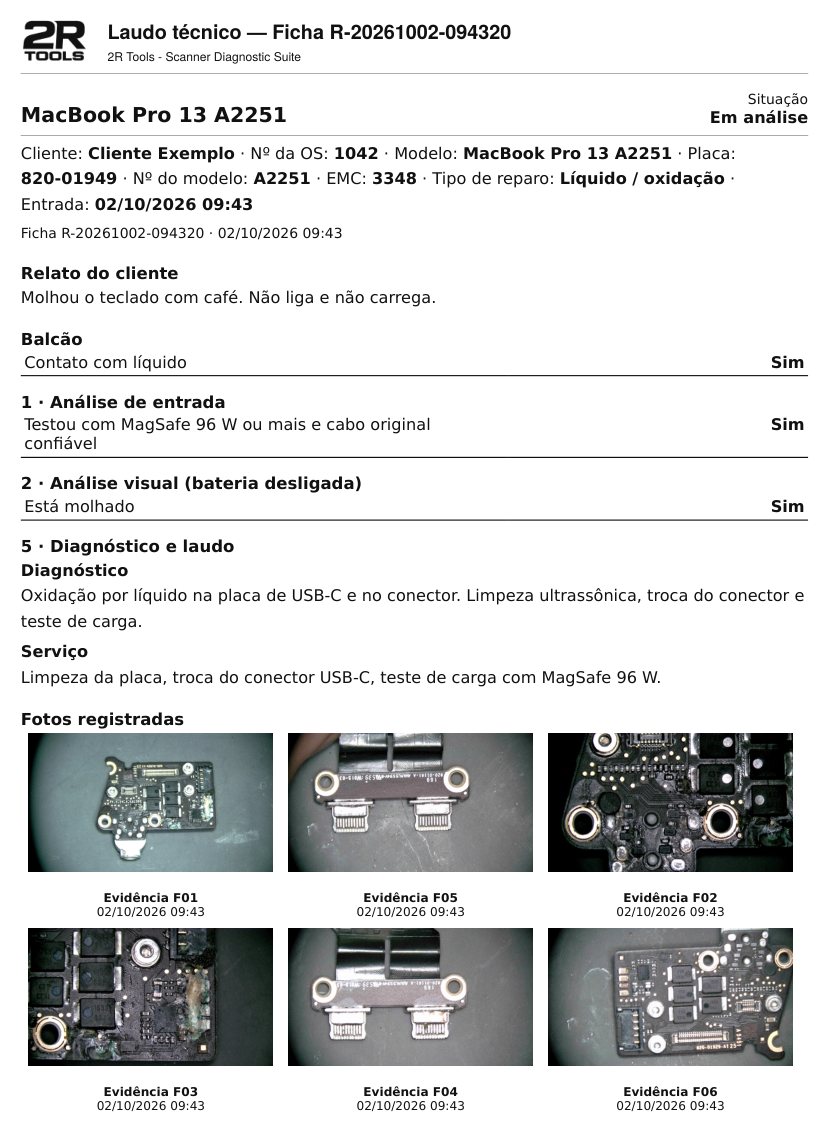
  • Each question with its answer, all in black
  • PDF ready to print or send, with your shop's logo
Report with real photos of the repair

Phone and team

The whole shop together

Phone, iPad, Mac and PC working on the same tickets.

Phone and iPad

Scan the QR code and you're in: the full ticket on your phone, nothing to install.
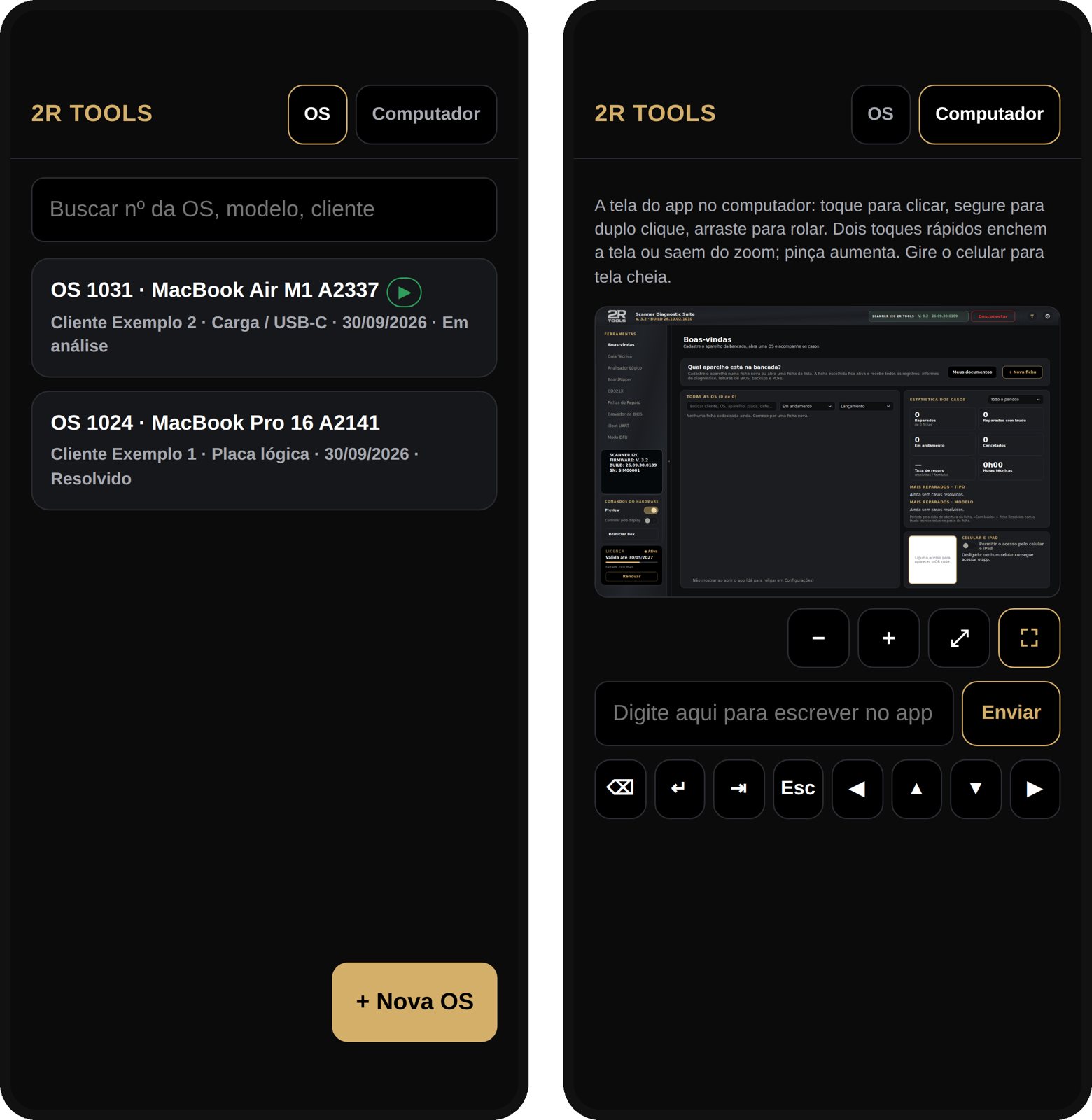
  • Photos and videos straight into the ticket
  • Analysis steps with big buttons; two columns on iPad
  • Full control of the computer screen
Phone and iPad

Mac and PC on the same tickets

The shop's computers work together through a Google Drive folder or the shop server.
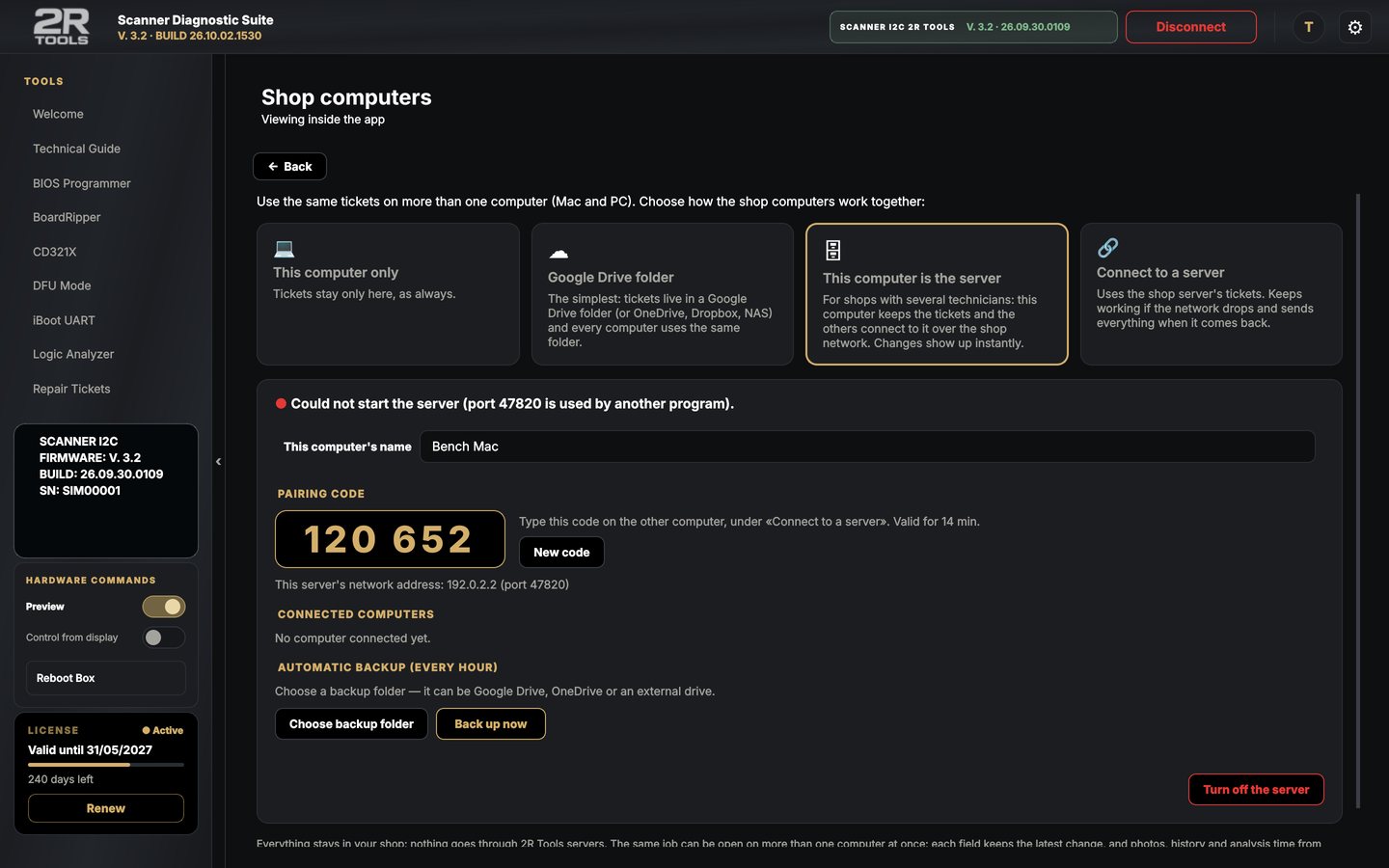
  • Changes merge by themselves
  • Nothing goes through 2R Tools
Mac and PC on the same tickets

Talk to us

Want to see it working?

Message us on WhatsApp or download the app and get 10 days with everything unlocked.

WhatsApp
+55 19 98112-0388
Instagram
@2rtools
Open
Address · ReparoMac
Av. Monsenhor Jerônimo Baggio, 479 – Taquaral
Campinas - SP · CEP 13075-350
View on map
Message on WhatsApp